



Finance professionals who use Commentary Writer every day — in practices, corporates, and advisory teams across APAC, EMEA, and AMER.
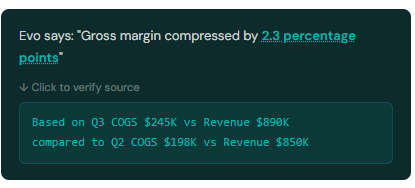
"The breakthrough isn't just AI powered commentary — it's making accountants trust it. By letting us click through to verify every number behind the narrative, Fathom Evo solves the confidence problem ChatGPT and Claude ignore. You can trust AI calculations when you can verify the source number.

“It's a brilliant addition. Embedding it into our templates so commentary updates each period would save us hours of manual drafting, and the stakeholder questions would be invaluable in client meetings.content.”

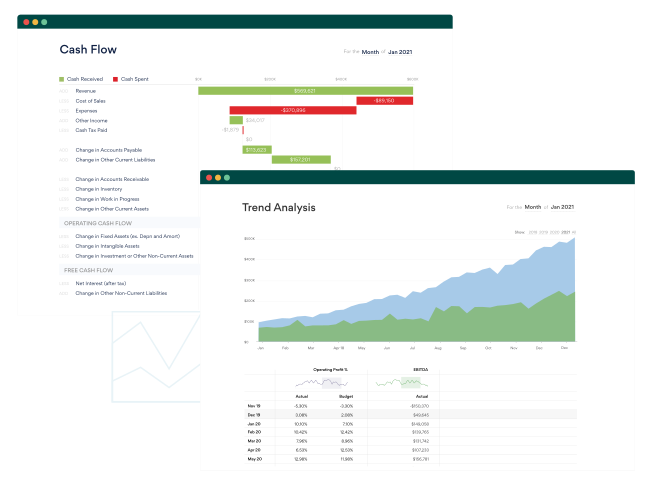
"Your prompt uses the client's built-in data and context, it explains the chart, and you can edit the commentary right there.

"For the price that we pay for Fathom, I think the value is tremendous — even without the AI function.


You'll receive an email invitation with the subject line "Sign Up to Access Evo" from noreply@access-workspace.com.au or noreply@accessacloud.com. Click Join, create your password, and you're connected. Check your junk/spam folder if you don't see it.Once set up, you can sign in to Fathom using Access Single Sign-On (SSO) and access Copilot via the Access button in the top-left corner of Fathom.
Logged in with Access SSO? Click the Access button in the top-left corner of Fathom, then select Copilot. Type a prompt to begin — or use the paperclip icon to upload a Fathom PDF report and ask questions about your financials.
Use follow-up questions to refine responses, or select New Topic to start fresh. Your topic history is private to you and available for 28 days.
Only users with both a Fathom account and an Access Evo account can use Copilot in Fathom. As an admin, you can invite colleagues from within Access Evo so your whole team has access.
Ensure everyone uses the same email address for Fathom and Access Evo — this is required for the Access button to appear correctly.


Trusted by 100,00 companies worldwide